

Know what your Exstream design contains, and what changed, before it ships.
The Design CLI reads the Design Database. The Package CLI reads a compiled PUB file without an Exstream installation. Both emit the same deterministic design-state document, so you can compare repository, package, and saved states.
Reads the Design database on any platform: applications, documents, pages, paragraphs, variables, rules, data files, decoded wording and formula code, version history, and the administration event log. Read-only by construction.
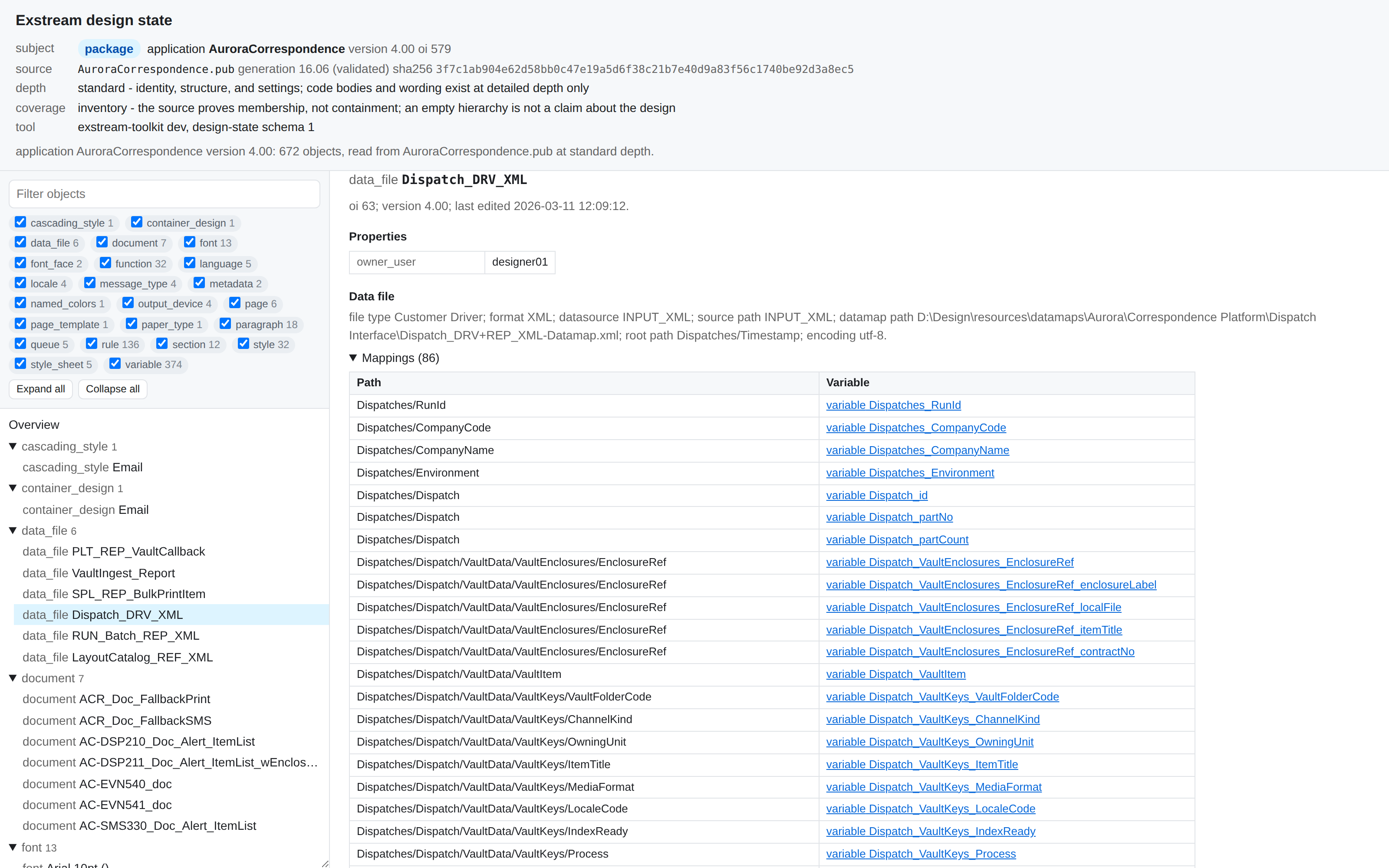
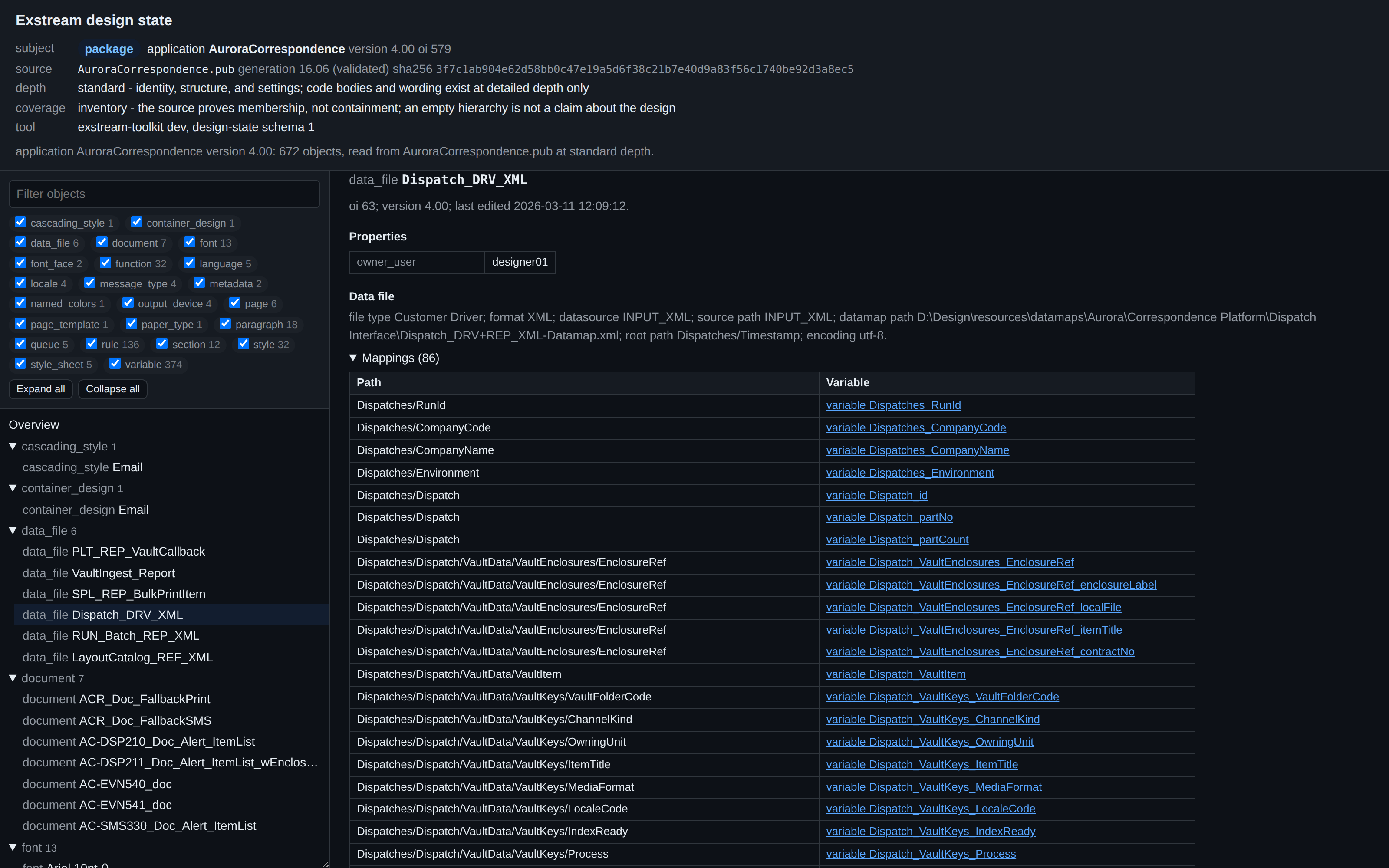
Reads a compiled PUB package file without a database or an Exstream installation: the object inventory, variable settings, data-file mappings, formula, function and rule source, and paragraph wording.
Both tools emit the same design-state document, so a repository and the package built from it can be compared object by object, and a stored document from last year can be compared with a package from today.
Use the same evidence in migrations, releases, and investigations
The tools answer repository and package questions from the command line, a pipeline, or an agent.
Inventory an estate before moving it. Application closures, ordered content trees, first-pass dependency graphs, extracted wording by language, data-file mappings, and deterministic migration reports give a migration team evidence instead of estimates, in files that can be diffed between runs.
Compare the repository against the package about to be deployed, or two package revisions, and gate the pipeline on what differed. A one-word wording edit, a restyled span, a changed formula line, or a moved data-file mapping reads as exactly that, under the document and section it sits in, with an exit code a pipeline can act on. Review pages in Markdown or HTML drop into a pull request or a wiki.
Trace a symptom back to the rule, variable, or paragraph behind it. Search decoded wording across an application, read the formula behind a variable, see which data file feeds it and check which characters an output encoding cannot emit.
Every command writes stable JSON with a documented schema and deterministic ordering, and the toolkit ships AI agent skills that teach an agent how to ask the right question. An agent can connect a production symptom, the stored code, the data mapping, and the last edit without anyone opening OpenText Designer, and a human can check every step because the evidence is in the output.
Karen had 250 pages to check. Inspect returned the list in about one minute.
A document developer needed to find terms and conditions pages containing screenshots of tables before rebuilding them as proper Design objects. Opening every page in Designer would have taken around 80 minutes.
Read Karen's workflowKaren is a pseudonym. The workflow is based on a real user experience.
Karen described the task to an AI agent. The agent used Inspect to search the repository and returned the page list she asked for. Karen decided which pages needed work and rebuilt the affected tables manually.
Three cases where the package or repository settled the question.
Two anonymized production investigations trace their conclusions to job, log, package, and Design evidence. The third shows how to record the exact PUB file that reached production.
- Production diagnosisThe batch had composed successfully.
An operator used an AI agent to show that a missing queue report was valid because the queue had no records. The actual failure was a later step that treated the conditional report as mandatory.
Read the investigation - Production diagnosisOne manifest entry too many.
An AI agent ruled out ZIP creation and transfer, then traced the mismatch to packaged logic that counted internal post-sort records instead of physical delivery documents.
Follow the evidence - Recommended patternAn exact record of what reached production.
Tie the change record to the source revision, PUB digest, successful deployment event, and optional package evidence instead of reporting an upstream build as a production release.
See the deployment pattern
Start with the release or migration question.
Field guides cover package inspection, repository drift, migration inventory, CI gates, wording search, AI-agent safety, and conservative repository cleanup.
How to create an audit-ready change record for an Exstream PUB deployment
A recommended pattern for tying an Exstream production change to the source revision, exact PUB bytes, successful deployment event, and optional package evidence.
How an AI agent investigates an Exstream production failure without exposing customer data
How a read-only AI agent can cut Exstream investigation time by correlating job artifacts, logs, database extracts, deployed PUB packages, and Design metadata.
How to inspect an Exstream PUB file without Designer
What a compiled Exstream PUB package can prove on its own, how to read its inventory and wording, and which conclusions still need the Design repository.
What changed between the Exstream repository and the deployed PUB package?
How to compare an approved Exstream application with the compiled PUB in deployment and separate real changes from fields that cannot be compared.
Every diff reports how much it could compare.
The report starts with a verdict and a coverage fraction. If one source cannot carry a field, the report marks that field as not comparable. It does not count it as unchanged. Values keep the shape stored by the source, and the report states its limits in plain language.
verdict: differences-found
meaning: something that could be compared differed; 99% of achievable field
comparisons were possible, so this is what changed among those
coverage: 56446 of 56620 achievable field comparisons possible (99%)
changes: 0 added, 0 removed, 0 moved, 21 content-changed, 2 property-changed

Findings (23)
  application Claims
    document Claim_Acknowledgement
      section Claim_Body
        content-changed  paragraph  Claim_Body_Text oi=7216
            text[].runs: 17 runs -> 16 runs; 1 removed
               [15]  literal "Contact us if you have any questions."
              -[16]  variable Claim_ContactNote   Arial 10.00pt normal 400
  Not placed in the hierarchy
    variable (1 content-changed)
      content-changed  variable  Letter_URL_Login oi=8012
            code.text: 9 lines -> 9 lines; 1 removed, 1 added
              -    value = "https://example.com/login?tab=commercial"
+ value = "https://example.com/business/login"Drop a package, get an HTML overview back.
Send a compiled Exstream package and we run it through the Package CLI for you: the object inventory, the variables and rules inside it, the data files it maps, and the wording it carries. The first package is on us.
One HTML file, by email within 24 hours. Open it in a browser, search it, and forward it to your team. It is the same report the toolkit writes into a pipeline, run against your package.
No Exstream installation, no database export, and no support ticket. The package file on its own is enough to read.
Need an NDA first? Use the contact page and we will sort that out before you send anything.
Stable output for pipelines, agents, and human review
- JSON schemas ship with the tools for every document they write, including the design state and the diff.
- Deterministic ordering: the same inputs produce byte-identical output, so results can be stored, diffed, and reviewed.
- Errors are documents too, with a category and an exit code, so a pipeline or an agent can branch on them.
- Agent skills that describe the commands, the JSON fields, and the traps, shipped with the tools.
- Read-only by construction: the repository tool never writes to a repository, and the package tool needs no database at all.
- Linux and Windows binaries.
- Any OpenText Exstream Design Database platform; PUB packages without any database.
- Text, JSON, CSV, Markdown, and HTML output, with JSON schemas for every document.
- Licensed to teams. Used in CCMForge migration and troubleshooting engagements.
Inspect extracts evidence from your estate. Resolve can use that evidence when answering a question or escalating a case. Compose is a separate document composition product in development.
Bring a repository and the package built from it.
Bring the repository and package types you have, plus the release, migration, or investigation you want to improve. We will map that work to the commands, output, and license you need.